前端项目发布以后,经常会遇到访问不到最新的版本,这主要是由于我们项目的入口文件index.html被浏览器或者代理缓存了,没有实时拉取到最新文件。本文将介绍一下在nginx上如何设置html文件不缓存。
二、Cache-Control介绍
2.1 服务器可以在响应中使用的标准 Cache-Control 指令。
|
1 2 3 4 5 6 7 8 9 |
Cache-control: must-revalidate Cache-control: no-cache Cache-control: no-store Cache-control: no-transform Cache-control: public Cache-control: private Cache-control: proxy-revalidate Cache-Control: max-age=<seconds> Cache-control: s-maxage=<seconds> |
2.2 配置示例
2.2.1 禁止缓存
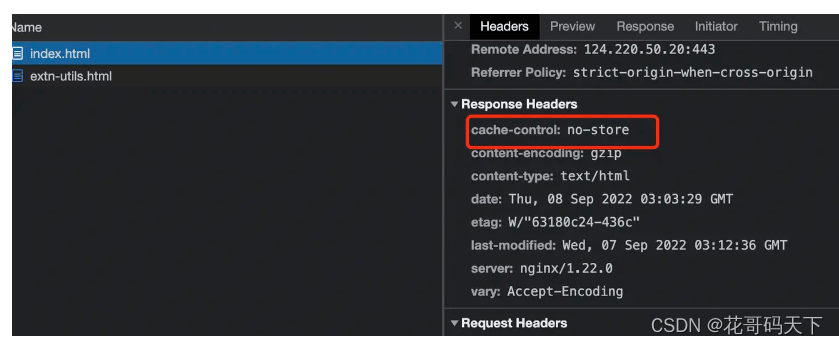
发送如下响应头可以关闭缓存。此外,可以参考Expires和Pragma消息头。
|
1 |
Cache-Control: no-store |
三、nginx配置
|
1 2 3 4 5 6 7 8 9 10 11 |
location / { expires 1h; root /home/html; index index.html index.htm;
## html不缓存 if ($request_filename ~* .*\.(htm|html)$) { add_header Cache-Control "no-store"; } } |
原文链接:
相关文章