1. 什么是自动化测试?
自动化测试就是将人工测试变为让代码进行测试,可提高效率。自动化分类有:单元测试、接口测试、UI自动化测试等。
1.1 Selenium是什么?
selenium 是用来做 web 自动化测试框架,它支持各种浏览器(Chrome等),各种平台(Windows、Linux等),支持各种语言(Python、Java等),具有丰富的 API。
1.2 Selenium工作原理
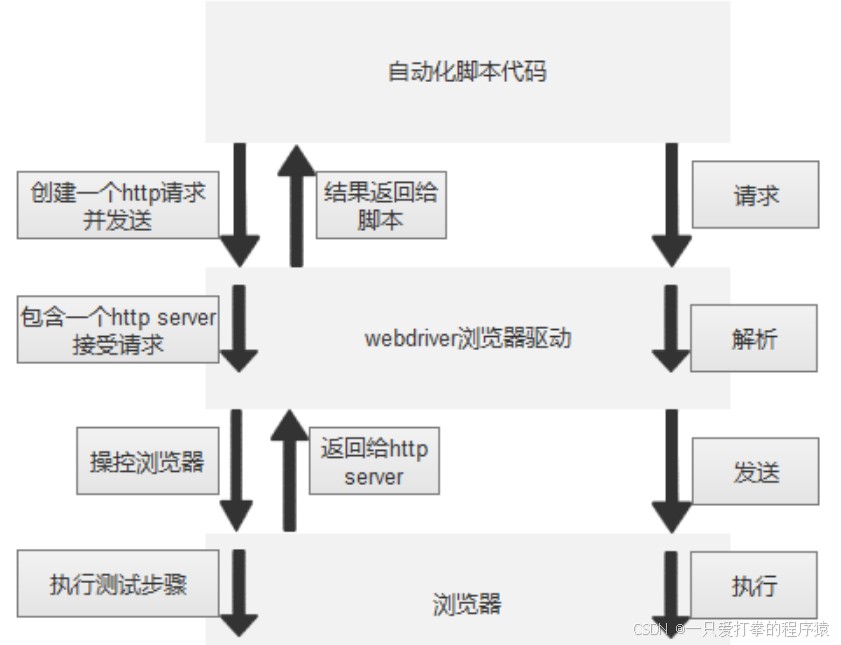
idea 编写自动化脚本代码后,通过 WebDriver 浏览器驱动,将自动化脚本中的指令转换为浏览器能够理解的操作。
2. Selenium+Java环境搭建流程
2.1 下载Chrome浏览器

2.2 复制浏览器版本号
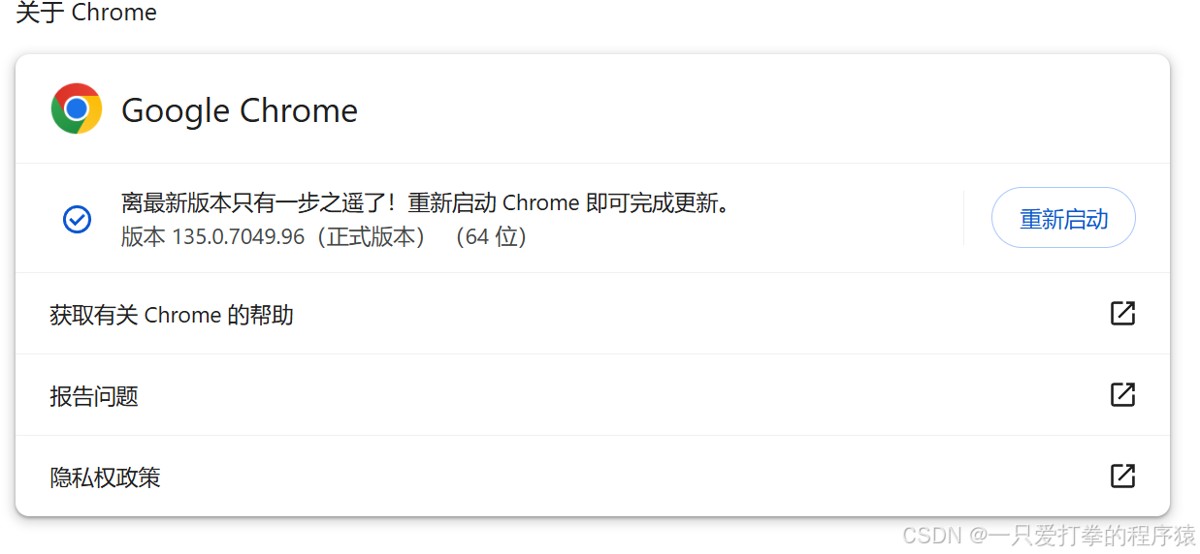
查看浏览器版本,并复制版本号前三位,如我的版本号为 135
2.3 进入chromedriver官网
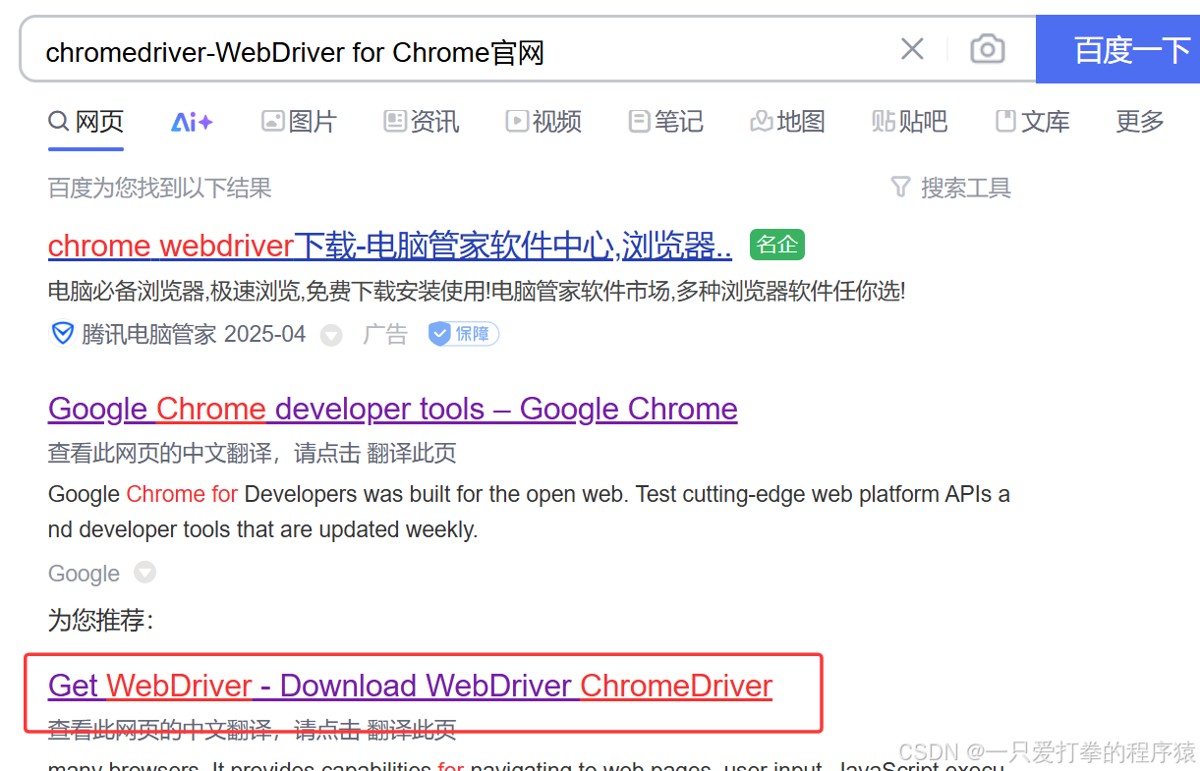
进入 chromedriver 官网
2.4 下载对应的版本
找到你对应版本号的 win 64 下载即可。


2.5 配置环境变量
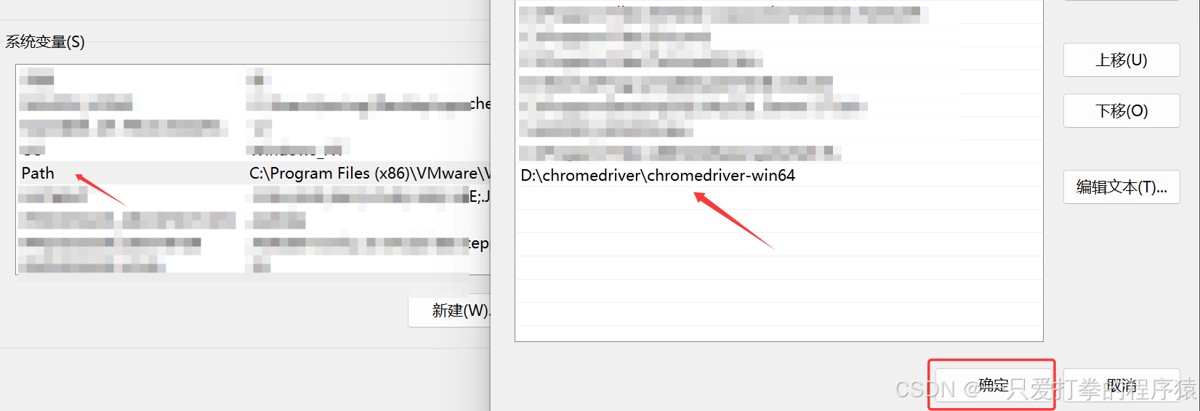
将你下载好的文件路径保存到 Path 底下。
2.6 打开Maven中央仓库


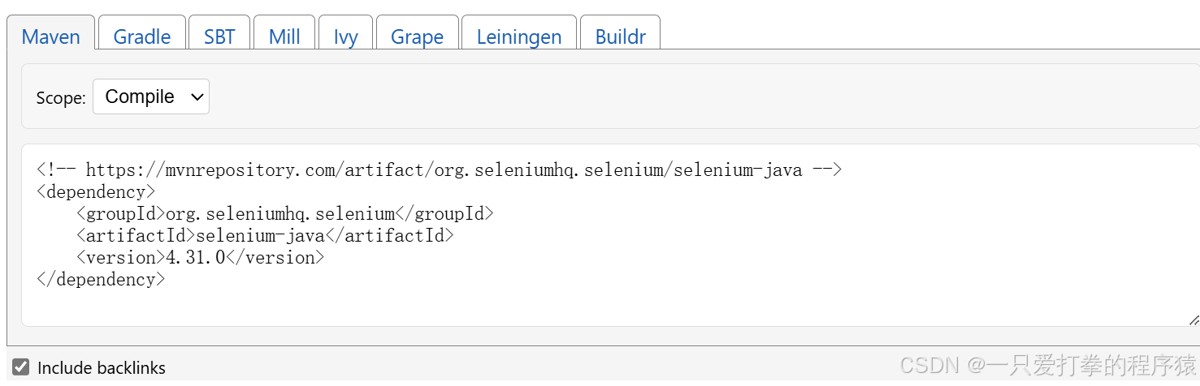
找到你想下载的版本,并复制。
2.7 添加依赖到idea
粘贴至 idea 中 pom.xml 里,刷新 maven 。
2.8 测试环境是否搭建成功
|
1 2 3 4 5 6 7 8 |
public class Test { public static void main(String[] args) { ChromeOptions options = new ChromeOptions(); options.addArguments("---remote-allow-origins=*"); WebDriver webDriver = new ChromeDriver(options); webDriver.get("https://www.baidu.com"); } } |
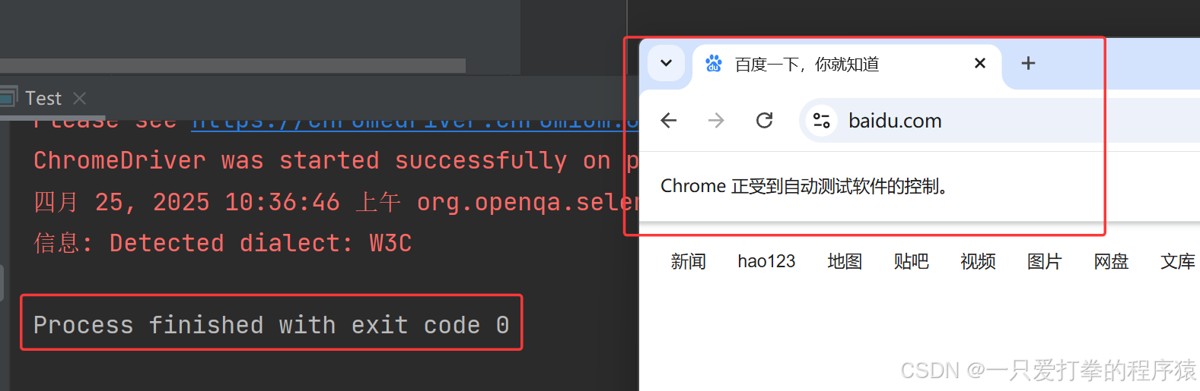
运行代码后自动跳出百度网页则代表成功,"---remote-allow-origins=*" 为允许所有版本。
2.9 出现错误解决方案
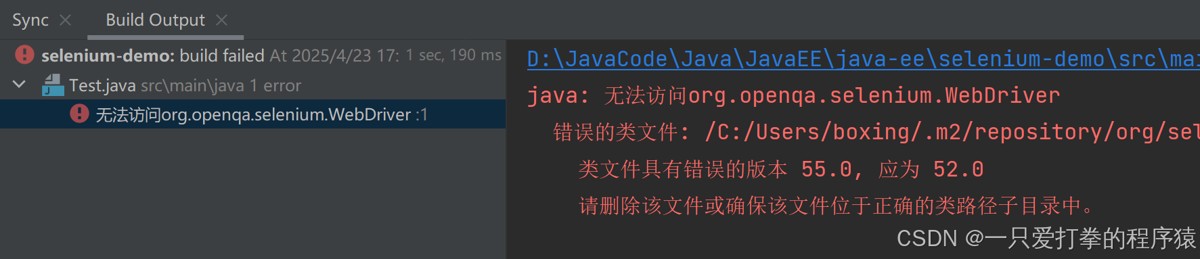
将 selenium 依赖版本改为 3.141.59 。
|
1 2 3 4 5 6 7 8 |
<dependencies> <!-- https://mvnrepository.com/artifact/org.seleniumhq.selenium/selenium-java --> <dependency> <groupId>org.seleniumhq.selenium</groupId> <artifactId>selenium-java</artifactId> <version>3.141.59</version> </dependency> </dependencies> |
2.10 运行成功