在使用 Git 推送包含较大编译产物的项目时,你是否遇到过 HTTP 413 Request Entity Too Large 错误?这通常并不是 Git 的问题,而是 Web 服务器(如 Nginx)拒绝接收大体积请求。本文将通过一个完整案例,演示如何使用 curl 工具验证服务器限制,最终通过宝塔面板修改 Nginx 配置解决问题,实现大文件 Git 推送成功。适用于使用 Gitblit、Gitea 或任何基于 Nginx 部署的私有 Git 服务环境。
一、问题描述
在使用 Git 推送一个包含编译产物的仓库时,推送失败,报错如下:
|
1 2 3 |
error: RPC failed; HTTP 413 curl 22 The requested URL returned error: 413 send-pack: unexpected disconnect while reading sideband packet fatal: the remote end hung up unexpectedly |
Git GUI (SourceTree) 中显示:
|
1 2 |
POST git-receive-pack (287021804 bytes) error: RPC failed; HTTP 413 |

二、初步分析
HTTP 413 代表“请求体过大”,通常是服务端拥有上传大小限制。可能的源有两个:
- Git 服务本身限制 (Gitblit/Gitea/GitLab)
- Web 服务器如 Nginx 或 Apache 进行的前置限制
为了确认问题所在,我们进行下面的演示性测试。
三、演示测试: curl 模拟上传
步骤1: 创建大文件 (300MB)
在 PowerShell 中执行:
|
1 |
fsutil file createnew bigfile.test 314572800 |
步骤2: 使用 curl.exe 模拟 POST 上传
|
1 |
curl.exe -v -X POST http://域名/ -H "Expect:" --data-binary "@bigfile.test" |
结果:
|
1 2 |
HTTP/1.1 413 Request Entity Too Large Server: nginx |
确认限制来自 Nginx,Git 本身无问题。

步骤3: 创建小文件 (1KB)
|
1 |
fsutil file createnew smallfile.test 1024 |
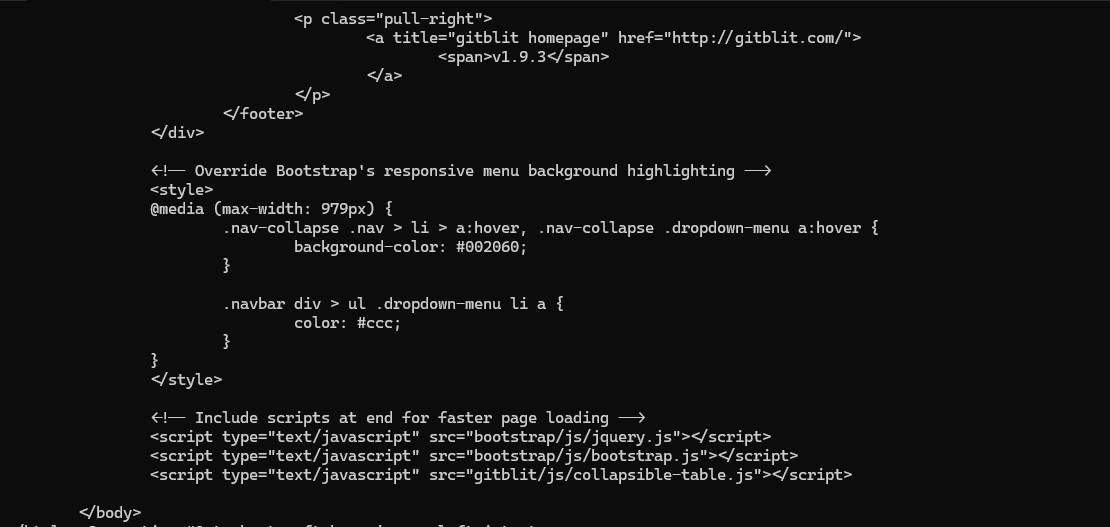
重复 curl POST 测试,结果成功,显示 Gitblit 网页内容,证明小文件能正常处理。
四、解决方案:修改 Nginx 配置 (宝塔面板)
操作步骤
- 打开宝塔面板后台 (http://你的IP:8888)
- 点击左侧「软件商店」,找到 Nginx
- 点击「配置修改」或「配置文件」
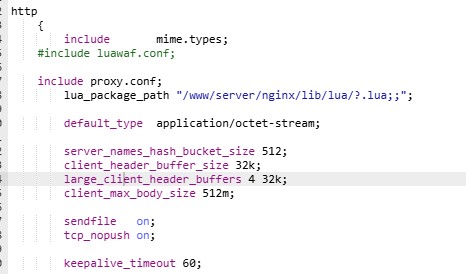
- 找到 http { 块,加入:
|
1 |
client_max_body_size 512m; # 允许最大上传体积为 512MB |
- 保存配置
- 回到 Nginx 设置界面,重载配置或重启 Nginx
实际配置示意图
|
1 2 3 4 5 6 7 8 9 10 |
http { include mime.types; default_type application/octet-stream;
client_max_body_size 512m;
sendfile on; keepalive_timeout 60; ... } |
五、重试 Git 推送
配置重载后,再次执行 Git push,推送包大小达 274MB,已成功,问题解决。

六、总结与建议
| 操作步骤 | 结果 |
|---|---|
| curl 模拟上传 bigfile.test | 报 413,确认 Nginx 限制 |
| curl 上传 smallfile.test | 成功返回 Gitblit 页面 |
| 修改 Nginx 配置 | 重载后 push 成功 |
建议:
- 尽量不要推送编译产物 (.dll/.lib/.pdb)
- 使用 .gitignore或 Git LFS 管理大文件
- 一旦推送无法成功,优先检查 Nginx/选项配置