最近碰到个事情需要在flask启动的时候定时清理一些数据, 以前都是用的apscheduler, 但是这次的任务比较简单,定时上报一些请求信息, 不太想通过第三方包的方式进行操作, 看了一下threading源码,在提供Thread主函数的同时, 还提供了一个Timer的类,接下来就围绕这个Timer来说明如何启动轻量定时任务
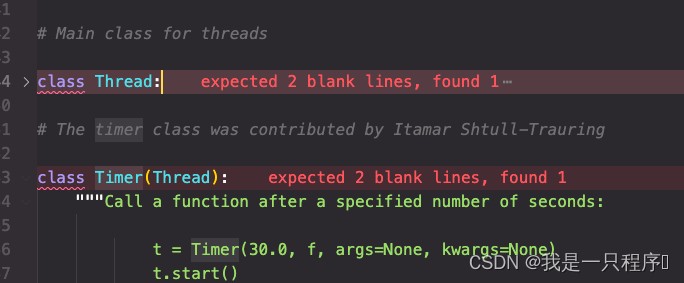
Timer官方的说明
|
1 2 3 4 5 6 |
class Timer(Thread): """Call a function after a specified number of seconds: t = Timer(30.0, f, args=None, kwargs=None) t.start() t.cancel() # stop the timer's action if it's still waiting """ |
大概意思就是:
函数会在你设定的时间后执行, 注意这里是只执行一次,所以没有达到我们想要的定时执行,我们结合flask server来演示下如何定时执行。
代码
|
1 2 3 4 5 6 7 8 9 10 11 12 13 14 15 16 17 18 19 20 21 22 |
import datetime from flask import Flask import threading
app = Flask(__name__)
def loop(msg): print(msg) timer = threading.Timer(3, loop, (f"start check: {datetime.datetime.now()}",)) timer.daemon = True timer.start()
@app.route("/") def test(): print("hello world")
if __name__ == '__main__': loop(f"start check: {datetime.datetime.now()}") app.run() |
结果:
|
1 2 3 4 5 6 7 8 9 10 11 12 13 14 |
start check: 2022-06-15 10:31:56.069280 * Serving Flask app 'test' (lazy loading) * Environment: production WARNING: This is a development server. Do not use it in a production deployment. Use a production WSGI server instead. * Debug mode: off * Running on http://127.0.0.1:5000/ (Press CTRL+C to quit) start check: 2022-06-15 10:31:56.069321 start check: 2022-06-15 10:31:59.071218 start check: 2022-06-15 10:32:02.071914 start check: 2022-06-15 10:32:05.074362 start check: 2022-06-15 10:32:08.079799 start check: 2022-06-15 10:32:11.082420 start check: 2022-06-15 10:32:14.082753 |
存在的问题:
当任务在定时时间内不能结束,那么在很短的时间内造成线程堆积,导致程序终止,所以我们进行改进。
改进
|
1 2 3 4 5 6 7 8 9 10 11 12 13 14 15 16 17 18 19 20 21 22 23 24 25 26 27 28 29 |
import datetime import time from flask import Flask import threading
app = Flask(__name__)
def task(): print(f"start check: {datetime.datetime.now()}")
def loop(): # 使用while True的方式保持这个Timer线程不停止 while True: task() time.sleep(3)
@app.route("/") def test(): print("hello world")
if __name__ == '__main__': timer = threading.Timer(3, loop) timer.daemon = True timer.start() app.run() |
使用while True的方式保持这个Timer线程不停止, 这样就只会有一个线程在后台执行,也不会造成线程堆积最终程序退出。