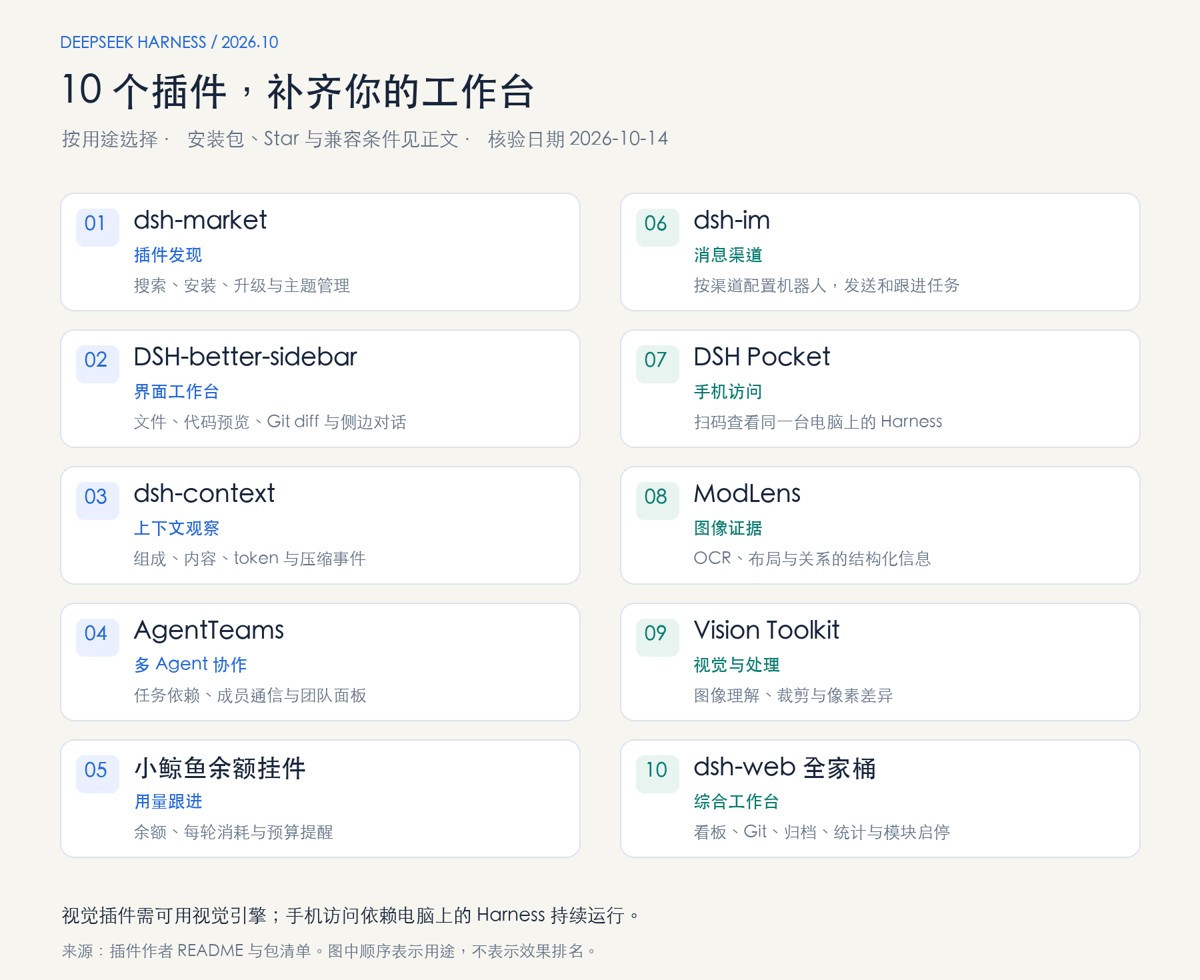
DeepSeek Harness(简称 dsh)是 DeepSeek 开源的 Agent 框架,核心设计理念是 “一切皆插件” ——模型、工具、会话、UI 等所有能力均由插件组合而成,可以自由替换和灵活重组。本文档提供从环境安装到插件配置的完整指南。
一、环境准备
1.1 Node.js 版本要求
dsh 对 Node 版本有硬性要求,package.json 中的 engines 约束为 ^22.19.0 || >=24.0.0,即 Node 22.19.0 及以上,或 24.0.0 及以上。
推荐使用 nvm 管理 Node 版本(避免影响现有项目):
|
1 2 3 4 5 6 7 8 9 10 11 |
# 1. 安装 nvm-windows(Windows 用户下载 nvm-setup.exe) # 下载地址:https://github.com/coreybutler/nvm-windows/releases # 2. 配置国内镜像(可选但建议) nvm node_mirror https://npmmirror.com/mirrors/node/ nvm npm_mirror https://npmmirror.com/mirrors/npm/ # 3. 安装并切换 Node 版本 nvm install 22.19.0 nvm use 22.19.0 # 4. 验证 node -v # 应输出 v22.19.0 npm -v |
1.2 安装 pnpm
|
1 2 |
npm install -g pnpm pnpm -v # 验证安装 |
1.3 获取 DeepSeek API Key
登录 DeepSeek 开放平台,在 API Keys 页面创建密钥,立即复制保存(只显示一次)。
二、安装 DeepSeek Harness
方式一:npx 一行命令(推荐,快速体验)
|
1 |
npx @deepseek-ai/dsh web |
首次运行自动下载依赖,终端输出 http://127.0.0.1:3080 后浏览器打开即可。
注意:若 npx 卡住,多为网络问题,可切换国内镜像源或改用方式二源码安装。
方式二:从源码构建(适合二次开发/阅读源码)
|
1 2 3 4 5 6 7 8 9 10 |
# 使用 gh-proxy 代理加速克隆 git clone https://gh-proxy.com/https://github.com/deepseek-ai/deepseek-harness.git cd deepseek-harness
# 安装依赖并构建 pnpm install pnpm run build
# 启动 Web UI pnpm dsh web |
启动成功后浏览器打开 http://127.0.0.1:3080,左下角进入 Settings → Models 填入 DeepSeek API Key,选择工作区目录即可开始使用。
三、安装 dsh-install 管理插件
@dsh-tools/dsh-install 是官方安装管理插件,提供 CLI + 斜杠命令 + 热挂载聚合器,用于安装和管理 MCP 服务器及 Skills。
3.1 安装插件包(一次性,每个 profile 各装一次)
|
1 2 3 4 5 |
# 管理面(CLI 命令) dsh plugin --profile install add @dsh-tools/dsh-install
# 消费面(挂载服务器、斜杠命令) dsh plugin --profile web add @dsh-tools/dsh-install |
首次安装会初始化 install profile 并下载 dsh-base(数百 MB,属正常)。输出中的 [WARN] Issues with peer dependencies found 是设计预期——插件把 cordis 等声明为 peerDependencies,复用 Harness 自带的依赖。
3.2 启用聚合器行(一次手工配置)
用文本编辑器打开 ~/.dsh/profiles/web/cordis.patch.yml(Windows 路径为 C:\Users\<用户名>\.dsh\profiles\web\cordis.patch.yml),将空列表 [] 改为:
|
1 2 |
- id: mcp-registry disabled: false |
默认禁用是刻意设计:装插件不应静默拉起子进程,启用必须显式。
3.3 重启一次 Web
|
1 |
dsh web |
必须重启:dsh plugin add 将插件配置写入 bundle 层,bundle 层只在启动时读入,运行中的旧进程看不到新增插件。
3.4 验证安装
|
1 2 3 4 5 6 7 8 |
# 测试官方 MCP 服务器 dsh --profile install mcp add everything
# 列出已安装 dsh --profile install mcp list
# 诊断运行时 dsh --profile install mcp doctor everything |
Web 界面输入 /,斜杠菜单中应出现 /mcp、/skills;新会话中可见 mcp__everything__* 工具。
3.5 安装 MCP 服务器与 Skills
|
1 2 3 4 5 6 7 8 9 |
# MCP 服务器 dsh --profile install mcp add github # 内置目录简写 dsh --profile install mcp add uvx:mcp-server-git # URI 简写 dsh --profile install mcp add zai -- npx -y @z_ai/mcp-server # 任意服务器
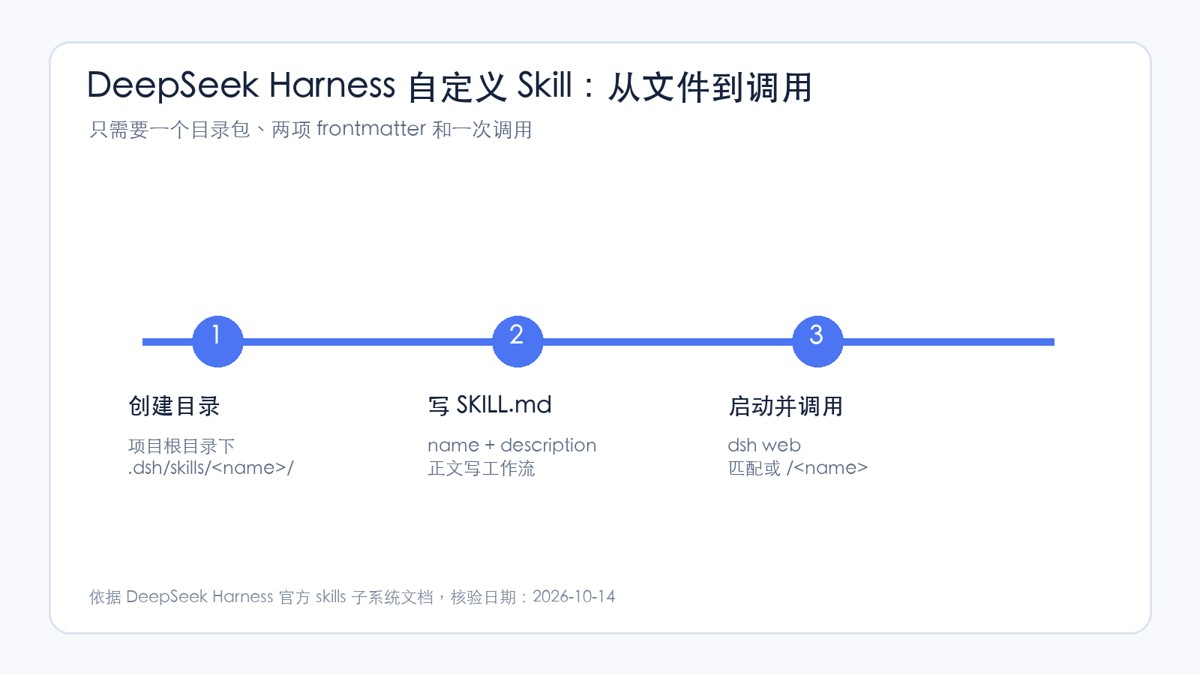
# Skills dsh --profile install skills add ./my-skill dsh --profile install skills add github:owner/repo#subdir@v1.0 dsh --profile install skills add <path> --link # 符号链接(开发模式) |
四、批量安装社区插件
以下为常用插件的一键安装命令:
|
1 2 3 4 5 6 7 |
# 批量安装 dsh plugin --profile web add wali-dsh-plugin && \ dsh plugin --profile web add walioffice-dsh-plugin && \ dsh plugin --profile web add github:xohmai/dsh-session-delete && \ dsh plugin --profile web add github:2768651338/dsh-plugin-manager && \ dsh plugin --profile web add dshmarket && \ dsh plugin --profile web add dsh-wsl-tray |
插件功能说明
| 插件 | 功能 | 安装命令 |
|---|---|---|
| wali-dsh-plugin | 桌面宠物,跟随会话状态变化 | dsh plugin --profile web add wali-dsh-plugin |
| walioffice-dsh-plugin | 办公套件(Word/Excel/PPT/图表) | dsh plugin --profile web add walioffice-dsh-plugin |
| dsh-session-delete | 会话删除功能 | dsh plugin --profile web add github:xohmai/dsh-session-delete |
| dsh-plugin-manager | GUI 插件管理器 | dsh plugin --profile web add github:2768651338/dsh-plugin-manager |
| dshmarket | 插件市场,浏览社区插件 | dsh plugin --profile web add dshmarket |
| dsh-wsl-tray | WSL 托盘工具 | dsh plugin --profile web add dsh-wsl-tray |
其他常用插件
|
1 2 3 4 5 6 7 8 9 10 11 |
# dsh-install 管理插件(前文已详述) dsh plugin --profile web add @dsh-tools/dsh-install
# 浏览器插件 dsh plugin --profile web add @anweat/dsh-browser@^0.1.8 dsh-web-search-pro@^0.1.8
# 远程访问插件 dsh plugin --profile web add dsh-remote-plugin
# 社区插件市场 dsh plugin --profile web add @sanqi-normal/dsh-webui-market-plugin |
五、插件管理命令速查
| 操作 | 命令 |
|---|---|
| 安装 npm 包插件 | dsh plugin --profile web add <包名> |
| 安装 GitHub 插件 | dsh plugin --profile web add github:用户名/仓库名 |
| 安装本地插件 | dsh plugin --profile web add ./本地路径 |
| 卸载插件 | dsh plugin --profile web remove <包名> |
| 查看已安装插件 | dsh plugin --profile web list --depth 0 |
| 查看最终配置 | dsh --profile web --dump-config |
| 重启 Harness | dsh web |
注意:安装插件后必须完整停止并重启 Web profile(dsh web),仅刷新网页不会重新加载插件服务。如果 DSH 启用了安装保护,需把 dsh plugin --profile web add ... 替换为 dshpm install <包名> --profile web。
六、常见问题
1. npx 安装卡住
九成是网络问题。可切换国内 npm 镜像源,或改用源码方式安装。
2. Node 版本不符
检查 Node 版本:node -v。若低于 22.19.0,使用 nvm 切换:nvm use 22.19.0。
3. 安装后插件不生效
确保已完整重启 dsh web。bundle 层只在启动时读入,运行中的旧进程看不到新增插件。
4. peer dependencies 警告
[WARN] Issues with peer dependencies found 是设计预期——插件复用 Harness 自带的依赖,警告可忽略。
5. pnpm 11 构建拦截(ERR_PNPM_IGNORED_BUILDS)
若安装 GitHub 源插件被 pnpm 拦截,需将对应包名加入 profile 的 pnpm-workspace.yaml 的 allowBuilds 中后重试。