bat文件
|
1 2 3 4 5 6 7 |
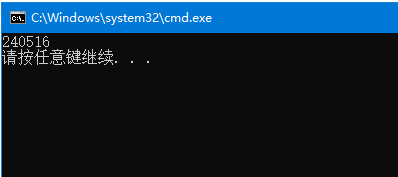
set /P StrInput="输入数字:" echo 输入的数字为%StrInput% set /P Flg="是否执行(y/n):" IF "%Flg%" equ "y" ( echo 执行命令 cscript abc.vbs "%StrInput%" ) |
注意:
等于号(=)之间不能有空格,不然会出错。
判断值大小最好使用equ之类。
条件判断后的括号的有空格。
VBS文件
获取外部参数
写文件
WebAPI操作
日期与TimeStamp变换
|
1 2 3 4 5 6 7 8 9 10 11 12 13 14 15 16 17 18 19 20 21 22 23 24 25 26 27 28 29 30 31 32 33 34 35 36 37 38 39 40 41 42 43 44 45 46 47 48 49 50 51 52 53 54 55 56 57 58 59 60 61 62 63 64 65 66 67 68 69 70 71 |
Dim WshShell Dim CurDir Dim oParam
'取参数 Set oParam = WScript.Arguments
if oParam.Count>0 Then
Else WScript.Quit End if
'获取当前路径 Set WshShell = WScript.CreateObject("WScript.Shell") CurDir = WshShell.CurrentDirectory
'写文件操作 Function OutputData(filename) Dim objFSOW Dim objFileW
Set objFSOW = WScript.CreateObject("Scripting.FileSystemObject") Set objFileW = objFSOW.OpenTextFile(filename,2,True)
objFileW.Write(filename) objFileW.Write(vbCrLf) objFileW.Write(vbTab)
Set objFileW = Nothing Set objFSOW =Nothing
End Function
'WebAPI操作 'params = "{""method"":""get"",""ID"":""12""}" Function RequestAPI(url,params) Dim oHttp
Set oHttp = CreateObject("MSXML2.ServerXMLHTTP") on error resume next
oHttp.Open "POST",url,False
If Err Then RequestAPI = Err.Description End If On Error Goto 0
oHttp.SetRequestHeader "Content-Type","application/json" oHttp.Send params
If oHttp.readyState<>4 Then oHttp.waitForResponse(10) End If
RequestAPI = oHttp.ResponseText
Set oHttp = Nothing
End Function
'TimeStamp -> Date Function FormatDate(timestamp) FormatDate = DateAdd("s",CLng(timestamp),"01/01/1970 00:00:00") End Function
'Date ->TimeStamp Function DateToTimeStamp(dateValue) DateToTimeStamp = DateDiff("s","01/01/1970 00:00:00",dateValue) End Function |
vbs服务器bat文件,window下批处理操作:bat文件中调用vbs
|
1 2 3 4 5 6 7 8 9 10 11 |
@echo "kill CRT process" taskkill /F /IM SecureCRT.exe ::ping 127.0.0.1 -n 30 echo "start vos through CRT" echo off d: cd D:\tools\SecureCRT_x86 start SecureCRT.EXE /SCRIPT D:\Secure_vos\Start_vos.vbs echo "start vos through CRT end" ping 127.0.0.1 -n 4 pause |
上述代码的意思是:在.bat文件中执行Start_vos.vbs文件
批处理执行文件之前首先需要下载SecureCRT.exe文件
Start_vos.vbs文件内容如下:
|
1 2 3 4 5 6 7 8 9 10 11 12 13 14 15 16 |
On Error Resume Next Dim result If crt.Session.Connected Then crt.Session.Disconnect ' connected to the '172.21.1.114' Set objtab = crt.Session.ConnectInTab("/SSH2 /PASSWORD root root@172.21.1.114",True) ' Capture error code and description (if any) nError = Err.Number strErr = Err.Description ' Now, tell the script host that it should handle errors as usual now: On Error Goto 0 ' change tab name objtab.caption = "Gdb_vos" ' enter the folder crt.Screen.Send "cd /home/test" & chr(13) crt.Screen.WaitForString chr(27) & "[32m(none) /home/test" & chr(27) & "[m # " End Sub |
上述代码主要是将手动输入的过程使用VBS脚本进行自动化
首先:Set objtab = crt.Session.ConnectInTab("/SSH2 /PASSWORD root123 root@172.11.1.15",True)
采用SSH2的方式连接linuxIP地址172.21.1.114,密码是root123,用户名是rootobjtab.caption = "Start_vos"
将当前连接页面重命名为Start_voscrt.Screen.Send "cd /home/test" & chr(13)输入cd /home/test并回车
crt.Screen.WaitForString chr(27) & "[32m(none) /home/test" & chr(27) & "[m # "等待页面下一行的内容为chr(27) & "[32m(none) /home/test" & chr(27) & "[m # "