nginx降权启动
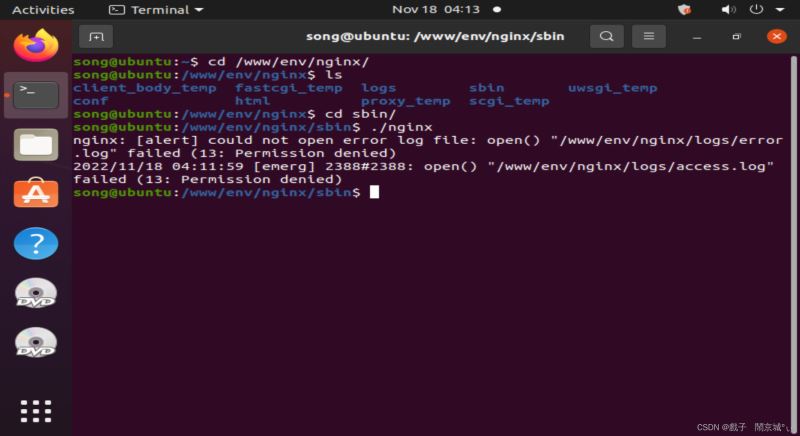
确认普通用户无法开启nginx
创建普通用户:
|
1 2 3 4 5 6 |
root@ubuntu:~# useradd -d /home/test -m test root@ubuntu:~# passwd test New password: Retype new password: passwd: password updated successfully root@ubuntu:~# |
切换到test用户:

测试是否可以启动nginx:

启动失败
创建必需的相关文件
|
1 2 3 |
$ mkdir nginx $ cd nginx $ mkdir conf logs www sbin |
使用root用户copy配置文件中网页支持类型文件
|
1 |
root@ubuntu:/www/env/nginx/conf# cp /www/env/nginx/conf/mime.types /home/test/nginx/conf/ |
使用root用户拷贝nginx配置文件
|
1 |
root@ubuntu:~# cp /www/env/nginx/conf/nginx.conf /home/test/nginx/conf/ |
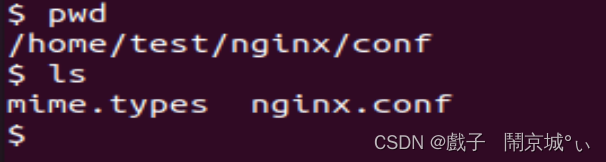
设置权限
|
1 2 |
root@ubuntu:~# chown -R test:test /www/env/nginx/ # 将当前前目录下的所有文件与子目录的拥有者皆设为 test,群体的使用者 test: |
修改配置文件
|
1 2 3 4 5 6 7 8 9 10 11 12 13 14 15 16 17 18 19 20 21 22 23 24 25 26 27 |
worker_processes 4; worker_rlimit_nofile 65535; error_log /home/test/nginx/logs/error.log; user test test; pid /home/test/nginx/logs/nginx.pid; events { use epoll; worker_connections 1024; } http { include /home/test/nginx/conf/mime.types; default_type application/octet-stream; sendfile on; keepalive_timeout 65; server { listen 8080; server_name localhost; root /home/test/nginx/www; location / { index index.html index.htm; } error_page 500 502 503 504 /50x.html; location = /50x.html { root html; } access_log /home/test/nginx/logs/access.log; } |
全路径启动nginx -c参数使用指定的配置文件而不是conf目录下的nginx.conf
|
1 |
/www/env/nginx/sbin/nginx -c /home/test/nginx/conf/nginx.conf &> /dev/null |
安装 PHP 7.4,配合 Nginx
安装 PHP 和 PHP FPM 软件包:
|
1 |
apt install php-fpm |
检查服务状态,运行:
|
1 |
systemctl status php7.4-fpm |
修改权限
|
1 |
chmod 777 /run/php/php7.2-fpm.sock |
配置php-fpm
修改配置监听9000端口来处理nginx的请求(这种方法一般在windows上使用),打开 /etc/php/7.2/fpm/pool.d/www.conf 文件找到如下位置注释第一行添加第二行
|
1 2 |
;listen = /run/php/php7.2-fpm.sock listen = 127.0.0.1:9000 |
修改Nginx配置文件
找到下面这部分代码取消注释,修改配置
|
1 2 3 4 5 6 7 |
location ~ \.php$ { root html; fastcgi_pass 127.0.0.1:9000; fastcgi_index index.php; fastcgi_param SCRIPT_FILENAME /scripts$fastcgi_script_name; include fastcgi.conf; } |
测试:
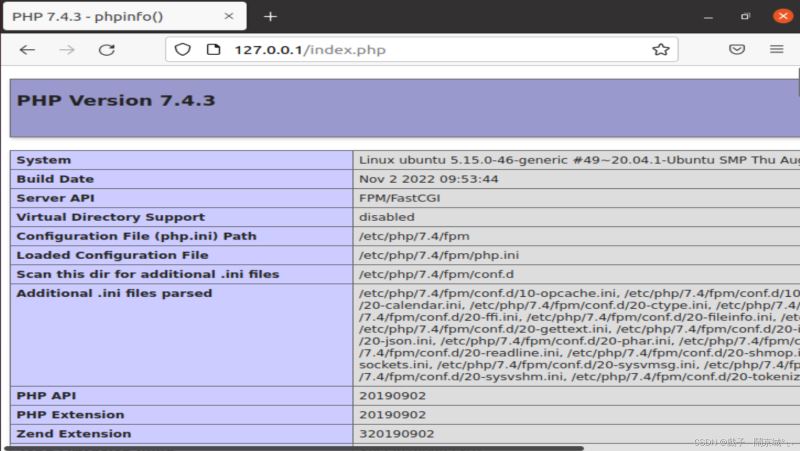
在/www/env/nginx/html下创建index.php文件:
|
1 2 3 4 |
root@ubuntu:/www/env/nginx/html# cat index.php <?php phpinfo() ?> |
打开浏览器: