一、实验目标
在 192.168.65.135 上部署 Nginx,作为 七层 HTTP 反向代理。
将 www.xiaotiantian.org 的流量 轮询 转发到两台后端 Web:
- 192.168.65.131:80
- 192.168.65.132:80
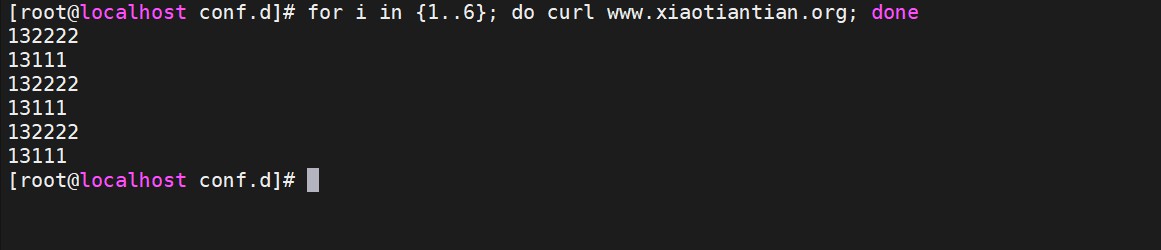
验证:多次 curl 域名,页面内容在 “13111” 与 “132222” 之间交替出现,且任一后端宕机时自动剔除。
二、实验拓扑
|
1 2 3 |
Client ──HTTP/80──? 192.168.65.135 (Nginx) ├─? 192.168.65.131:80 (Web-1) └─? 192.168.65.132:80 (Web-2) |
三、环境清单
| 主机 | IP | 软件 | 标识页内容 |
|---|---|---|---|
| Nginx Proxy | 192.168.65.135 | nginx-1.24.0 | 无(反向代理) |
| Web-1 | 192.168.65.131 | httpd / nginx | /var/www/html/index.html → 13111 |
| Web-2 | 192.168.65.132 | httpd / nginx | /var/www/html/index.html → 132222 |
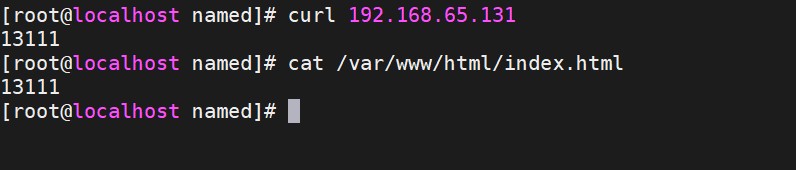
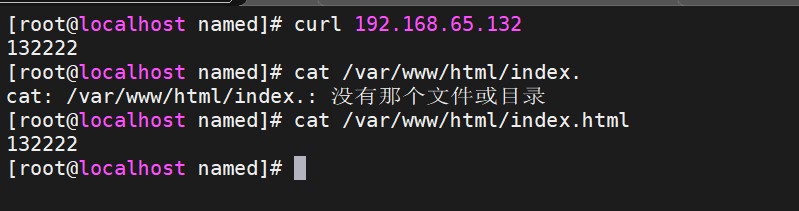
四、后端 Web 服务验证
|
1 2 3 4 5 6 7 |
# Web-1 $ curl 192.168.65.131 13111
# Web-2 $ curl 192.168.65.132 132222 |
两台均返回 200 OK,服务正常。
五、Nginx 反向代理配置(192.168.65.135)
文件:/usr/local/nginx/conf.d/xtt.conf (已修复语法)
|
1 2 3 4 5 6 7 8 9 10 11 12 13 14 15 16 |
upstream webserver { server 192.168.65.131:80 weight=1 max_fails=3 fail_timeout=15s; server 192.168.65.132:80 weight=1 max_fails=3 fail_timeout=15s; }
server { listen 80; server_name www.xiaotiantian.org;
location / { proxy_pass http://webserver; proxy_set_header Host $host; proxy_set_header X-Real-IP $remote_addr; proxy_connect_timeout 3s; } } |
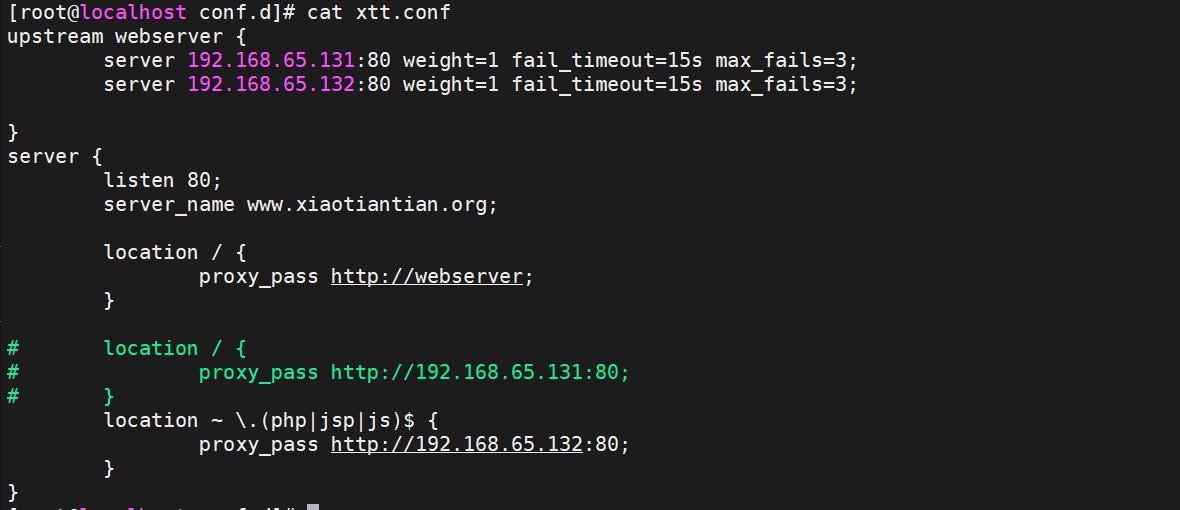
- 采用 默认轮询(weight=1 相等)。
- 任一后端 3 次失败即暂停 15 s,实现 故障摘除。
加载配置
|
1 2 |
nginx -t systemctl reload nginx |
六、测试记录
在任意客户端执行:
|
1 |
for i in {1..6}; do curl www.xiaotiantian.org; done |
实际输出: